 Plitsch
App Store
Versions
What Plitsch does and what changes from version to version. Much of this comes straight from tester feedback.
As of 29 October 2026
New versions come through the App Store. If you want to keep testing, you’ll get new test versions via TestFlight.
What Plitsch does
- One answerWill it rain in the next hour? Plitsch says Yes or No, when it starts and how long it lasts. With a subscription, for two hours.
- Colour instead of numbersThe screen shows how close the rain is. You see the answer before you read it.
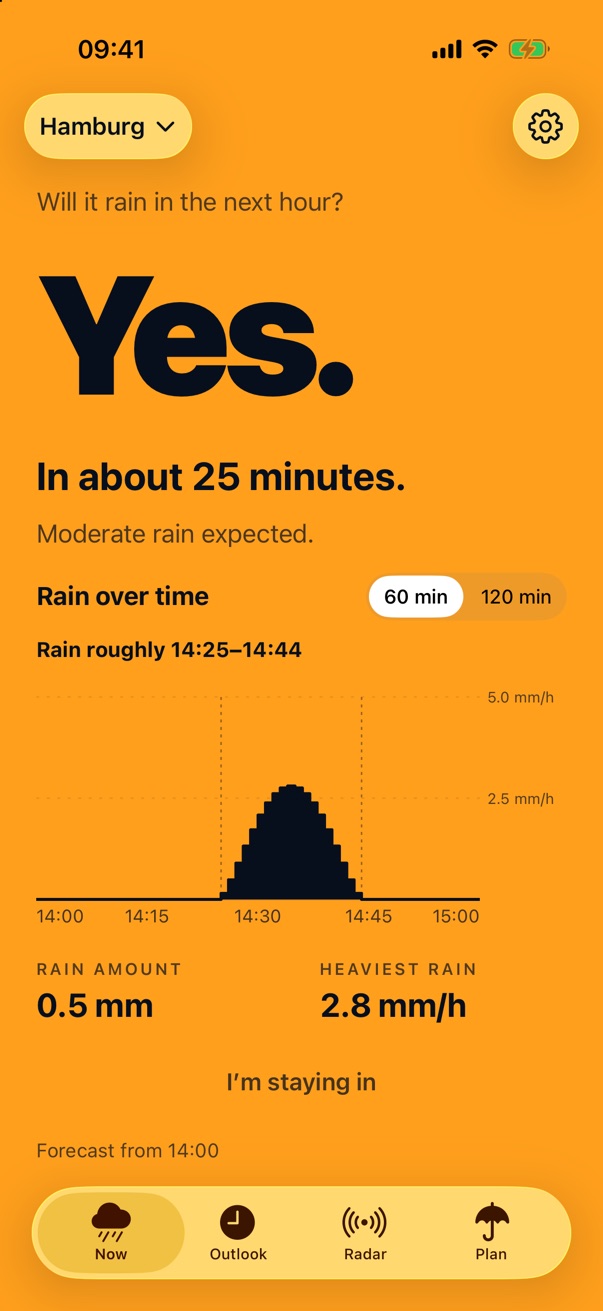
- Rain over timeA curve shows minute by minute when it rains and how heavily.
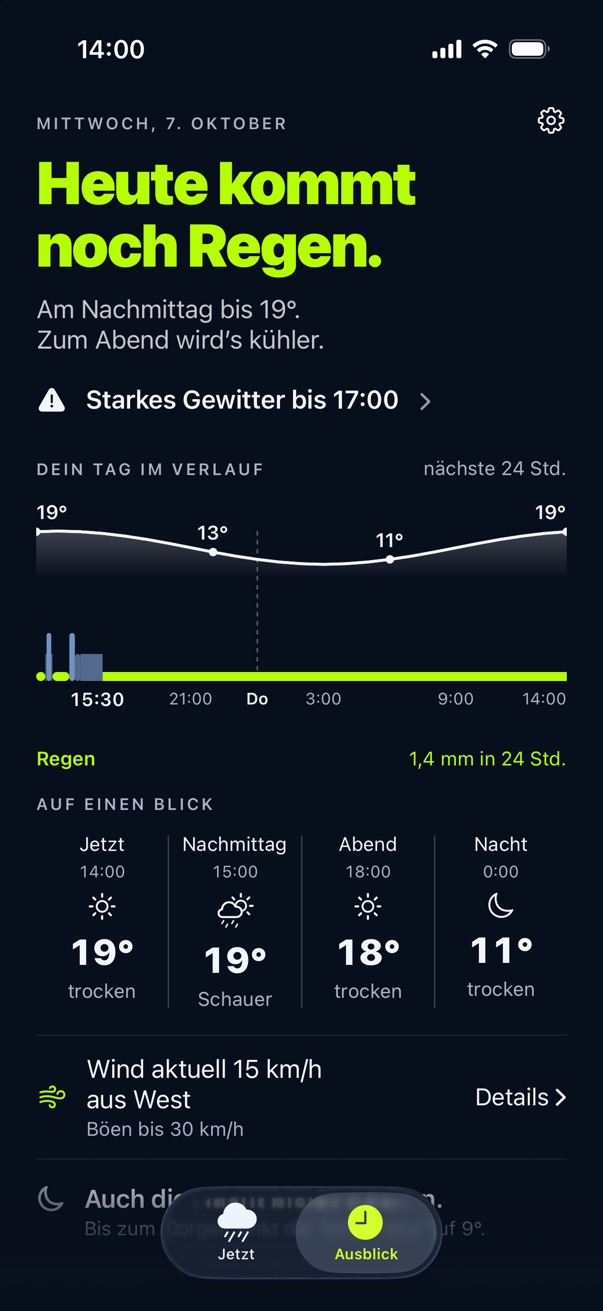
- Outlook (subscription)Rain, temperature, night and wind for the next 24 hours on one page. In Germany with official DWD warnings and thunderstorm notes.
- Radar (subscription)See how the rain moves around your place, one hour back and up to two ahead, with the arrival time at your place, the direction it is moving and a button to the next rain.
- Week (subscription)Outlook shows the next seven days, outside Germany too.
- Plan (subscription)A tab of its own. You pick start and length, Plitsch says whether you stay dry and otherwise suggests a dry window. For dog walk, running, bike ride, soccer, tennis, golf and laundry it says whether now is a good time.
- Rain on your route (subscription)Start, destination and whether you are cycling, walking or running: Plitsch tells you whether you arrive dry and where on the route rain is waiting. Shops and buildings work as destinations too. Wherever Plitsch has rain radar.
- Plans (subscription)Save regular plans like your bike ride to work. “Now” shows at the top whether it works out, and the “Check plan” shortcut also runs in automations.
- Countdown (subscription)When rain is coming, Plitsch counts down on the Lock Screen and in the Dynamic Island.
- WidgetsThe answer on the Home Screen. With a subscription, on the Lock Screen too.
- My PlacesPin places, rename them to Home or Work, and switch with one tap.
- SiriJust ask: “Plitsch, is it raining?” With your iPhone unlocked, “Plitsch, is it raining at home?” works too.
- iPhone DuoUnfolded, the phone shows Now and Outlook side by side.
- Data from the DWD and from ForecaRain radar of the German Weather Service (DWD) for Germany. Elsewhere in Europe where rain radar is available, and in the US except Alaska and Hawaii, the forecast from Foreca, without official warnings.
- Twelve languagesGerman, English, French, Dutch, Italian, Spanish, Polish, Swedish, Portuguese, Czech, Danish and Norwegian, following your iPhone’s language.
- Free and subscriptionFree: “Now” and the widgets on the Home Screen. The “Plitsch” subscription, monthly or yearly, adds the rest. Family Sharing is included.
- Wind the way you read itIn km/h, m/s, knots or Beaufort.
- No account, no adsPlitsch needs no sign-in and doesn’t track you.
On the App Store
Version 1.2
On the App Store since October 2026.
New
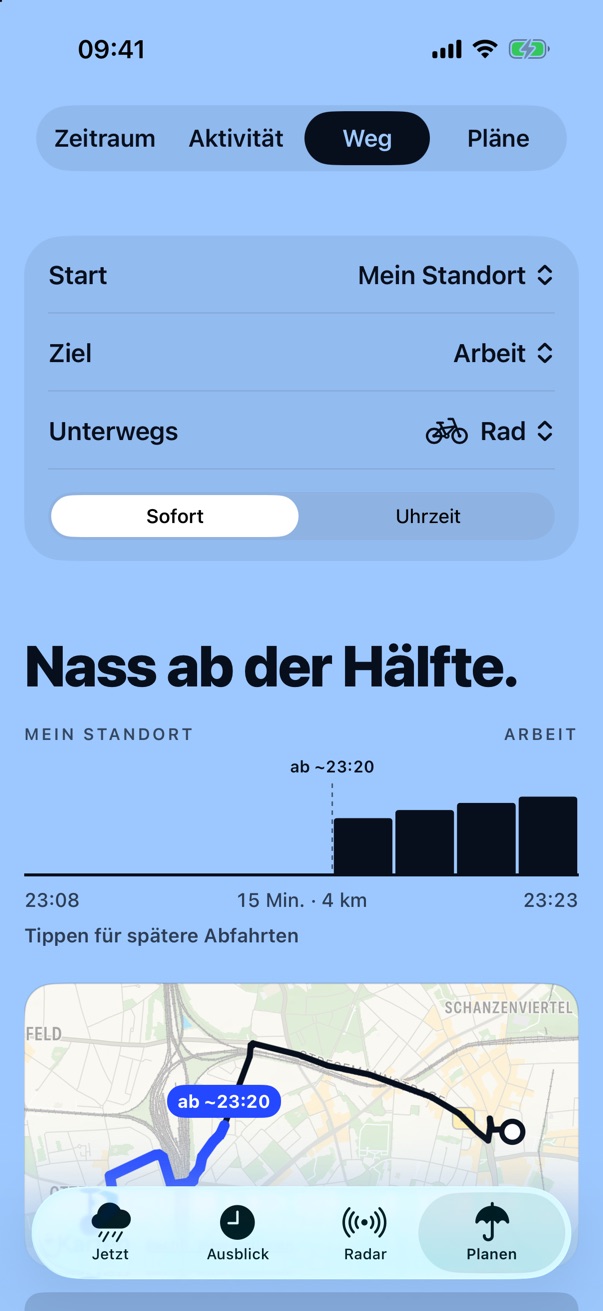
- Rain on your route. Under “Plan” › “Route” you choose start, destination and whether you are cycling, walking or running. Plitsch tells you whether you arrive dry and where on the route rain is waiting. Shops and buildings work as destinations too, such as “Rewe Ottensen”. Works wherever Plitsch has rain radar and is part of the subscription.
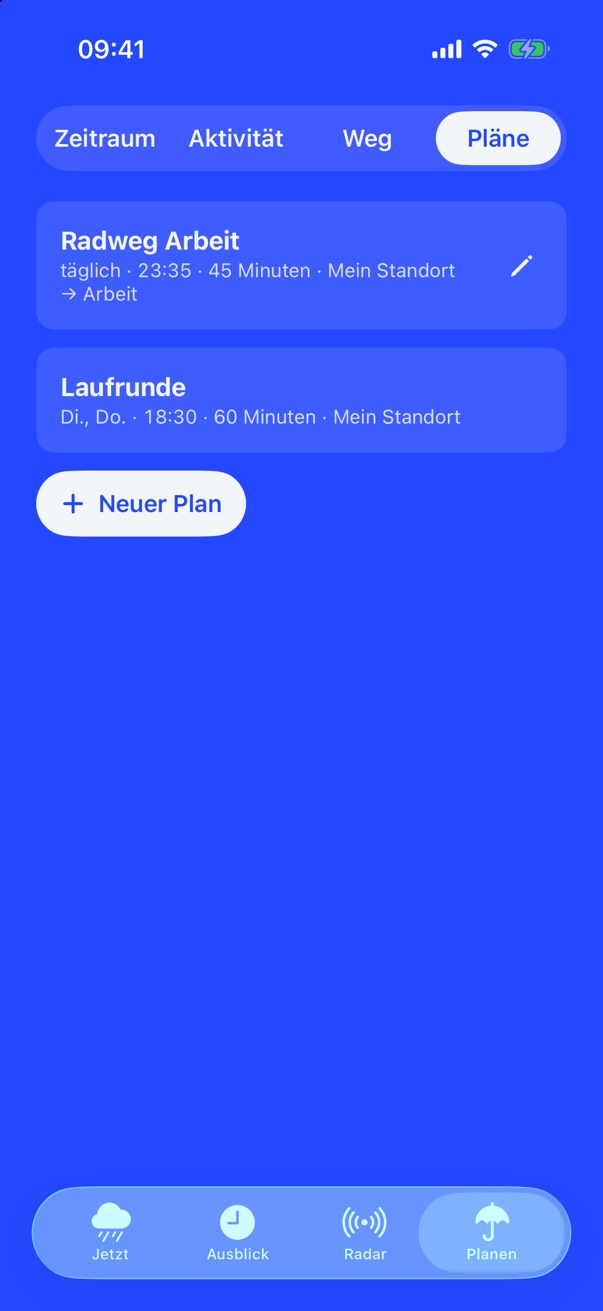
- Plans. Save regular plans, for example by bike to work on weekdays at 8:00, with a destination if you like. “Now” shows at the top whether it works out, and the “Check plan” shortcut also runs in automations. Part of the subscription.
- Two columns on iPhone Duo. Unfolded, “Route” and “Plans” show two columns.
- Countdown on the Lock Screen. When rain is coming, Plitsch counts down on the Lock Screen and in the Dynamic Island, for example “Rain in 10 min”. You can turn it off in Settings. Part of the subscription.
- Radar. When the estimate is reliable, the radar shows where the rain is heading and how fast. A button takes you to the next rain, a legend shows the intensity.
- Wind in knots and Beaufort. Four wind units to choose from: km/h, m/s, knots and Beaufort. Requested by testers.
- Warnings. Official DWD warnings with advice on what to do, also in English, French and Spanish.
- Easier to read and faster. Every tab adapts to large text. The radar loads less at launch, and the temperature arrives together with the forecast.
Earlier version
Version 1.1
On the App Store since October 2026.
New
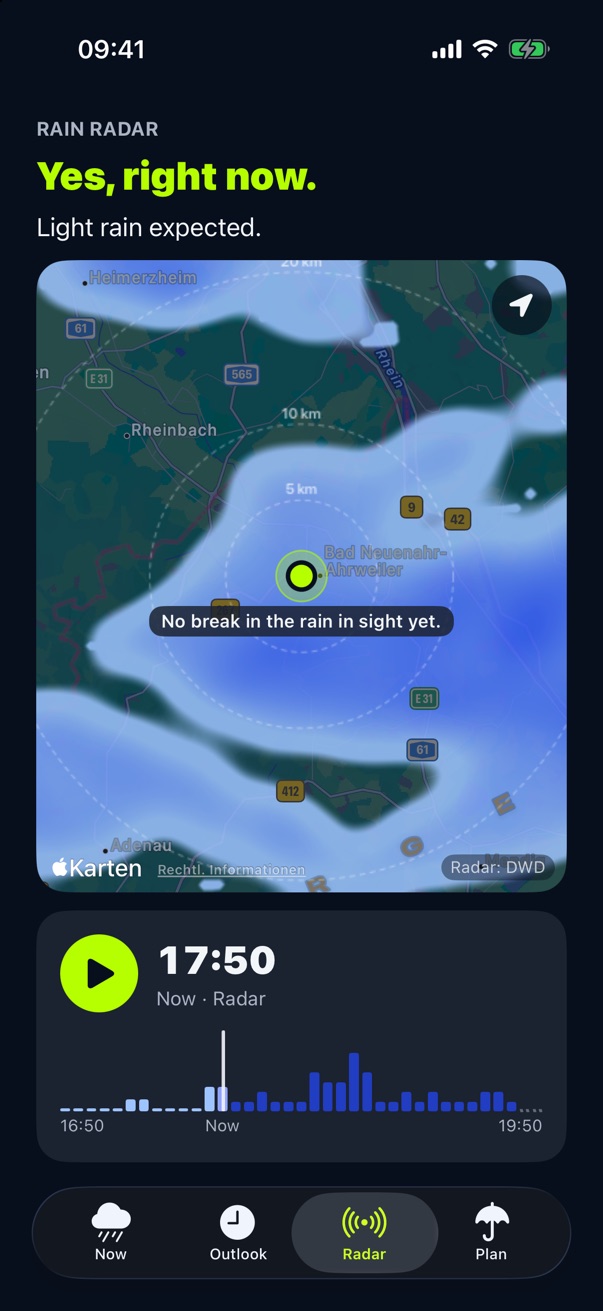
- The rain radar. In the new “Radar” tab you see how the rain moves around your place: one hour back and up to two ahead. Play it, zoom in, distance rings, and your place shows when the rain arrives. In Germany from the DWD, elsewhere from Foreca with lightning. Part of the subscription.
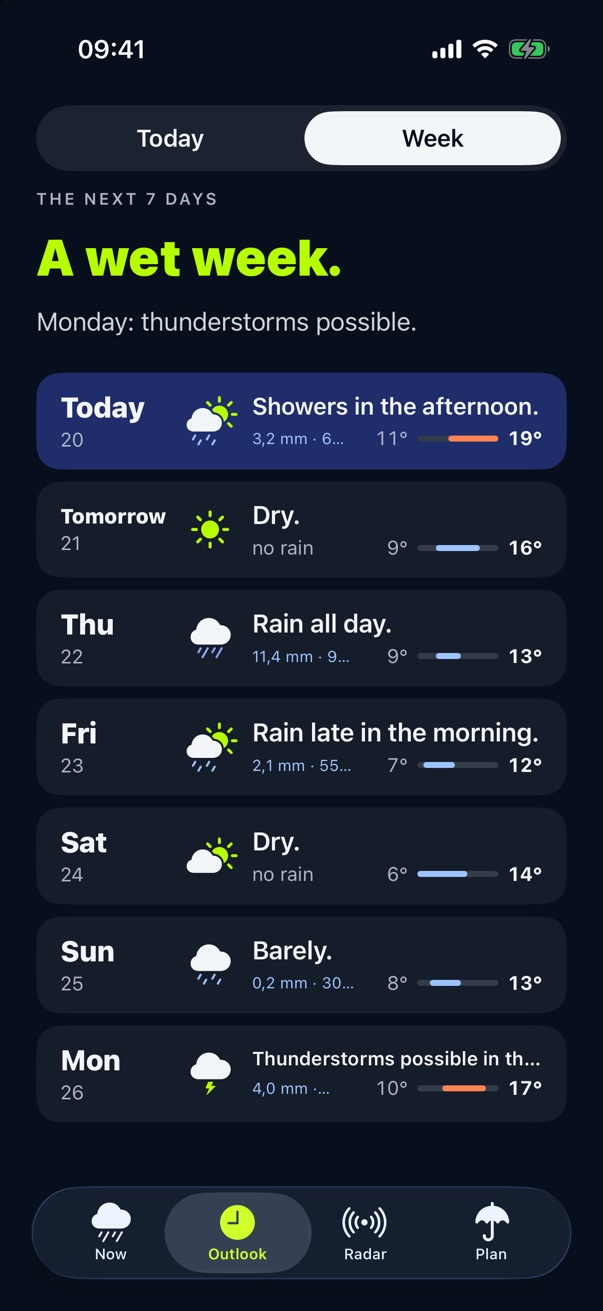
- The week. Outlook now shows seven days, outside Germany too. Part of the subscription.
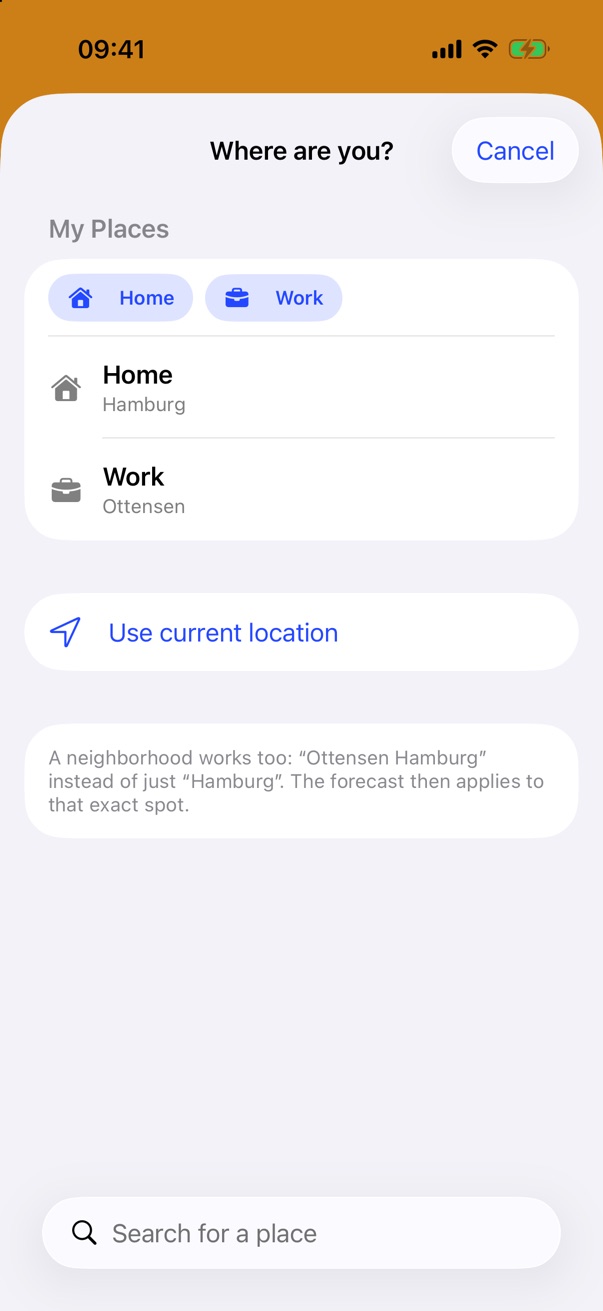
- My Places. Pin places, rename them to Home or Work, and switch with one tap.
- Siri. “Plitsch, is it raining at home?” asks about a pinned place when your iPhone is unlocked. “Plitsch radar” opens the radar.
- Fixes. The purchase page in Settings now stays open.
Earlier version
Version 1.0 on the App Store
The first version on the App Store, since October 2026.
New
- Free and subscription. “Now”, with the answer for the next hour and the rain chart, and the Home Screen widgets stay free. The “Plitsch” subscription comes monthly or yearly. It adds the answer for two hours, the full outlook, the Plan tab with time windows and activities, and the Lock Screen widgets. Family Sharing is included.
- Prices. €1.99 a month with 7 days free, €19.99 a year, €12.99 in the first year. Prices may vary by country; the price shown on the App Store applies.
- Thanks to all testers. You’ll find your code for six months free in our email. To redeem it: App Store → your profile → Redeem Gift Card or Code.
- iPhone Duo. Unfolded, the phone shows Now and Outlook side by side.
- Siri. Just ask: “Plitsch, will it rain soon?”
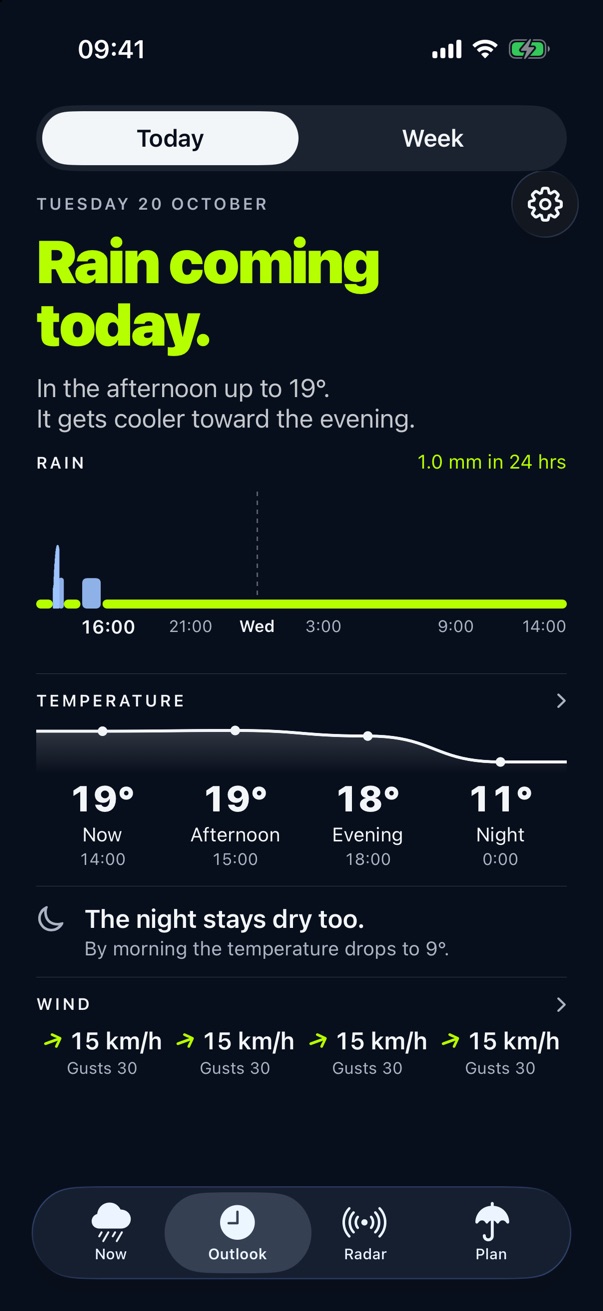
- The outlook with night and wind. 24 hours of rain, temperature, night and wind. In Germany with official warnings from the German Weather Service (DWD) and a note when thunderstorms are possible.
- Europe and the US. In Germany with radar from the German Weather Service (DWD). Elsewhere in Europe where rain radar is available, and in the US except Alaska and Hawaii, with data from Foreca. Where there is no rain radar, the app tells you.
- Twelve languages. New: Polish, Swedish, Portuguese, Czech, Danish and Norwegian.
Earlier version
Version 0.3
The third test version. Plitsch plans with you.
New
- Planning has a place of its own. A third tab next to “Now” and “Outlook”. The button on “Now” is gone.
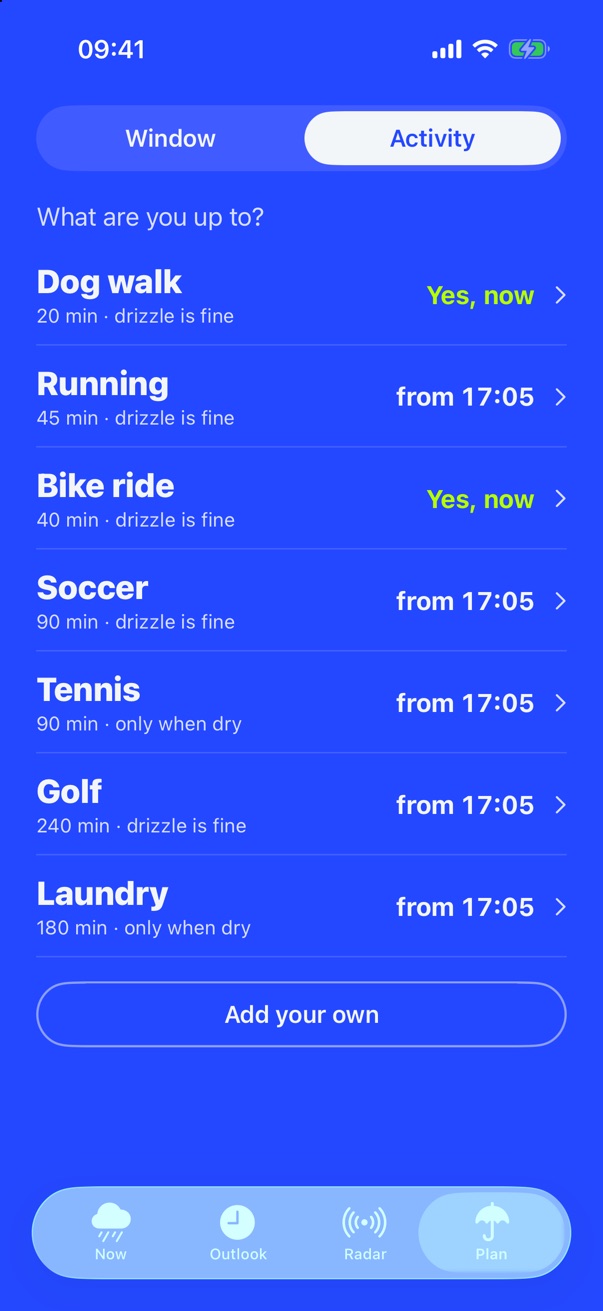
- Activity. Dog walk, running, bike ride, soccer, tennis, golf, laundry: for each activity Plitsch says whether now is a good time, and if not, from when. You can add up to six of your own. A tap opens the planner with the next dry window ready to save.
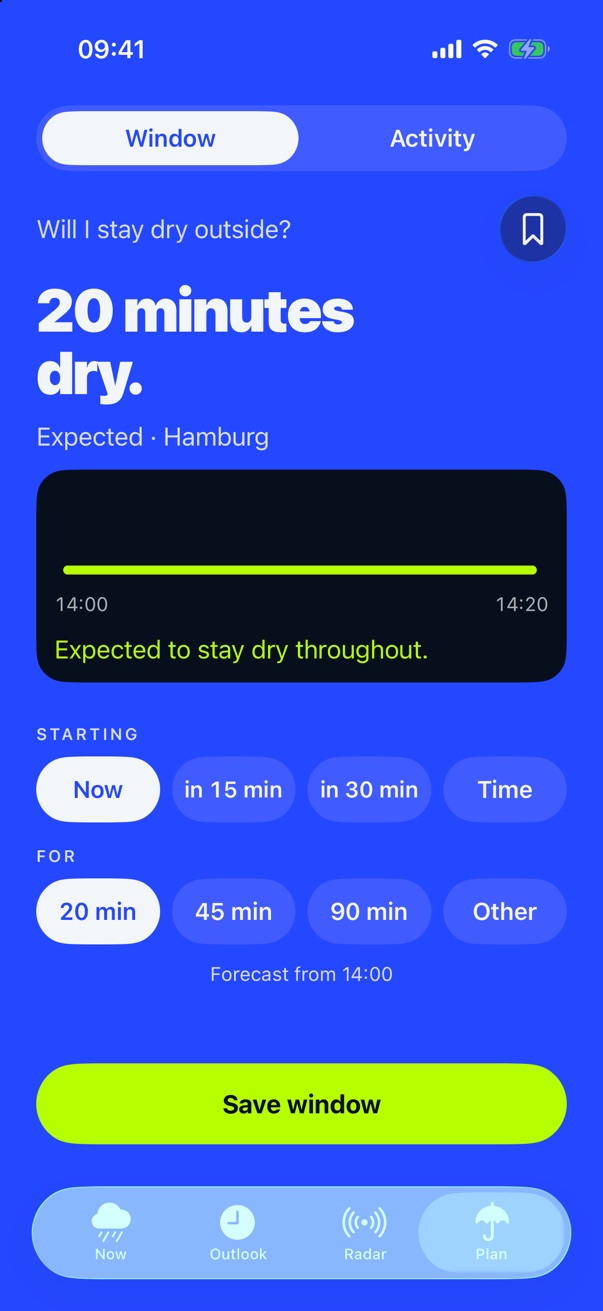
- The planner has been tidied up. One question, one answer, one strip. You pick start and length with a single tap.
- Six languages. German, English, French, Dutch, Italian and Spanish. Plitsch follows the language of your iPhone.
- Outside Germany too. Plitsch is meant for Germany, Austria, Switzerland, Liechtenstein, France, Belgium, Luxembourg, the Netherlands, Italy, Spain, the United Kingdom, Ireland, Malta and the USA. In Germany Plitsch works with the radar of the German Weather Service, elsewhere with data from Foreca, without official warnings.
- Wind with direction and gusts. The outlook shows the wind at four times of day with direction and gusts. A tap on temperature or wind shows how it develops over 24 hours.
- “Barely.” instead of “It’s drizzling.” When only a few drops fall, Plitsch now says it the way this website always has.
- Rain in inches. For everyone who thinks in inches.
- The widget stays current longer. It shows the last forecast with its timestamp instead of going blank, and asks iOS for fresh data more often.
- More precise about rain next door. “Rain very close by” now only appears when no rain is forecast for your own place.
Earlier version
Version 0.2
The second test version, distributed since 12 October 2026.
New
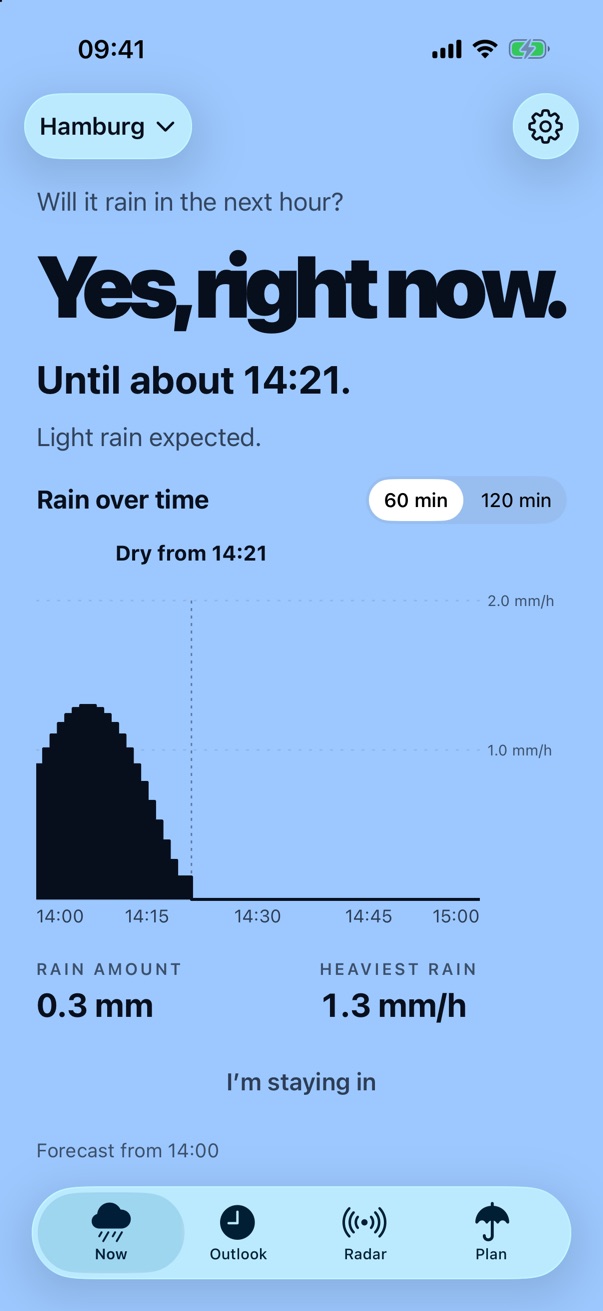
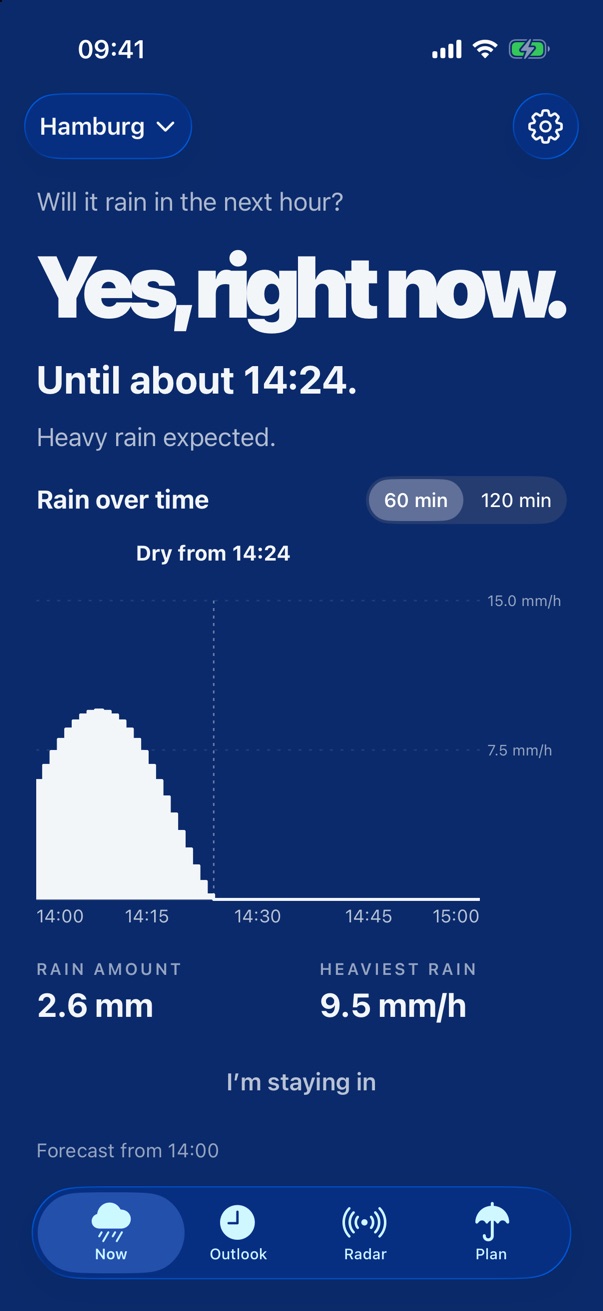
- Blue instead of red. Yellow and orange mean rain is coming. Blue means it is here. The heavier the rain is falling, the darker the blue. Before, the screen turned bright red even for drizzle.
- Lightning. During thunderstorms with rain, the screen flashes briefly at irregular intervals.
- The outlook is reordered. Rain for the next 24 hours as bars at the top, temperature with four values below, then night and wind. The page fits on the screen without scrolling.
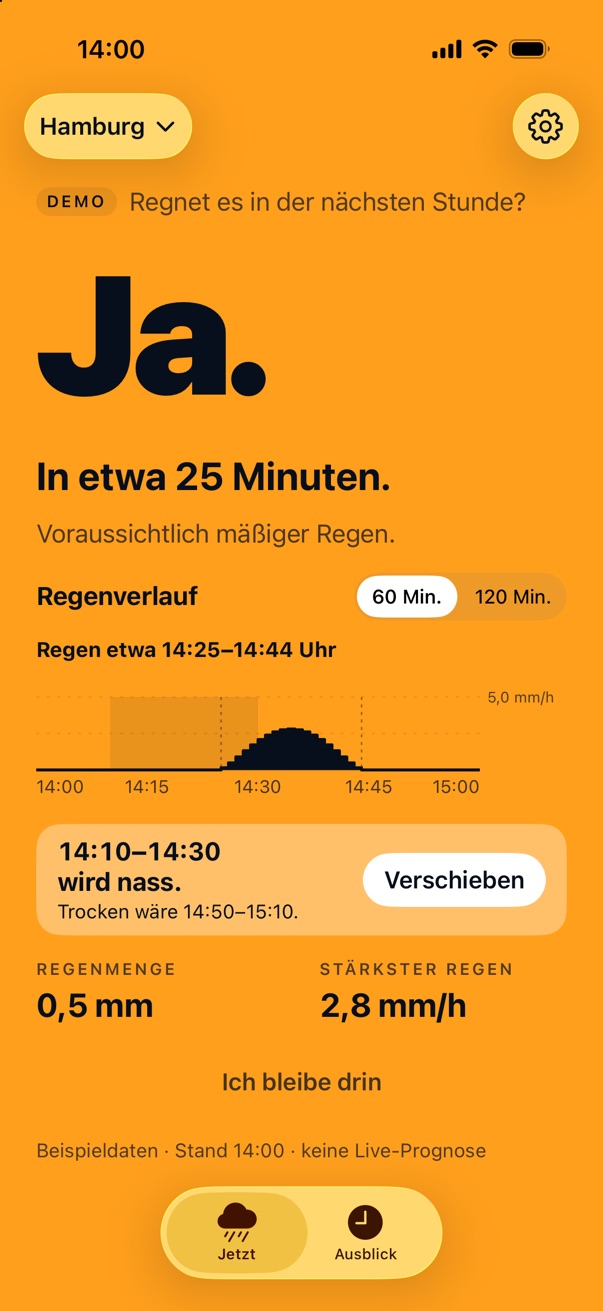
- Your window is on “Now”. If you saved a window in the planner, you see right below the rain chart whether it stays dry. If it gets wet, one tap moves it to the next dry window.
- The widget follows along. It shows the same colour as the app and the same period, 60 or 120 minutes.
- Recently chosen places. The place search remembers the five places you chose last. Commuters switch with one tap. A tester request.
- A line above the clock. A new widget for the Lock Screen, right next to the date. Also a tester request.
- More in the Lock Screen widget. When it rains, it now also says how heavily and until when.
- Recommend Plitsch. Settings now has a row for sharing Plitsch.
- Haptics. The app gives a short tap when it confirms something or the answer flips.
- Snow is called snow. For pure snow, Plitsch asks “Will it snow?” and shows snow over time.
Fixed
- In the planner the time jumped back when you picked a time after midnight in the evening.
- The bookmark in the planner looked like a button but did nothing. Now it saves and deletes the window.
- The widget sometimes showed a different colour from the app.
- On the iPhone SE the header was too large.
- At 120 minutes the last minutes of the rain chart were often hatched because the data doesn’t reach that far. The curve now ends where the data ends.
- Rain looked different in the planner than in the outlook. Now both show the same blue bars.
First version
Version 0.1
The first test version, distributed since early October 2026.
- The answer to “Rain soon?” for 60 or 120 minutes, with rain over time.
- Outlook for the next 24 hours with official warnings.
- Planner for time outside.
- Widgets for the Home Screen and the Lock Screen.
- Place by location or search, German and English.
Feedback
Was the answer wrong when you went out? Take a screenshot and send it to rain@plitsch.app.