Yellow and orange: rain is coming.
Blue: the rain is here.
Green means the whole hour stays dry. Yellow, orange and coral show how much time you have left. As soon as it rains, the screen turns blue. The heavier the rain, the darker the blue.
Tap a levelHover over a level
If at most a few drops fall in the hour, Plitsch says: Barely.
Download on the App Store →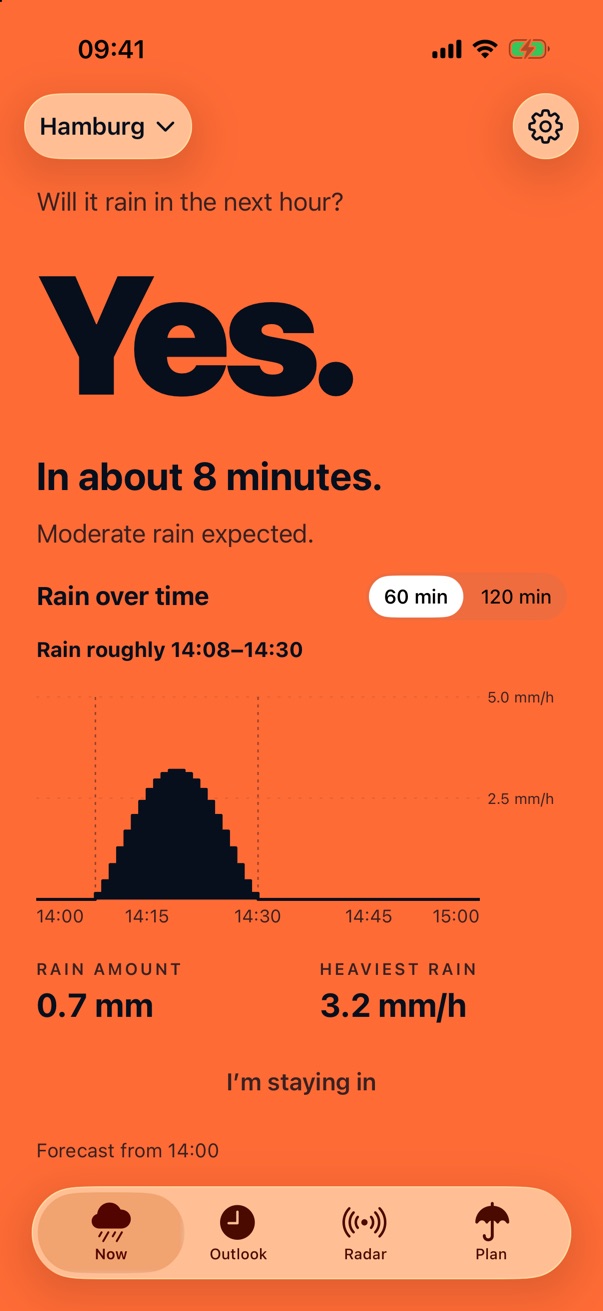
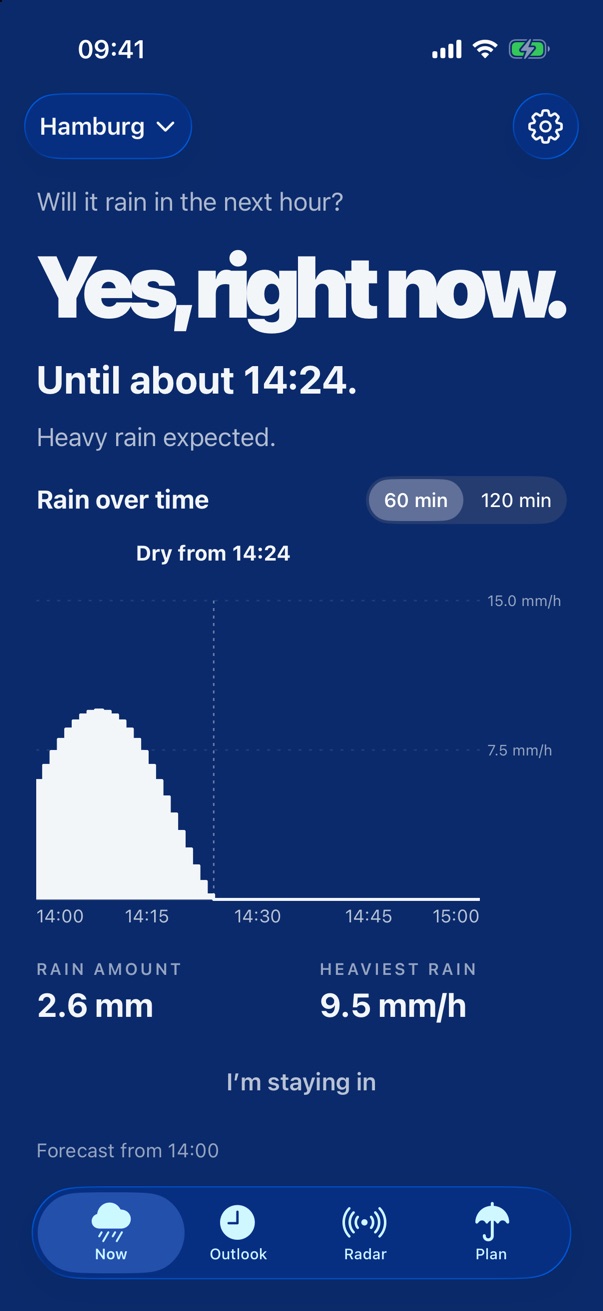
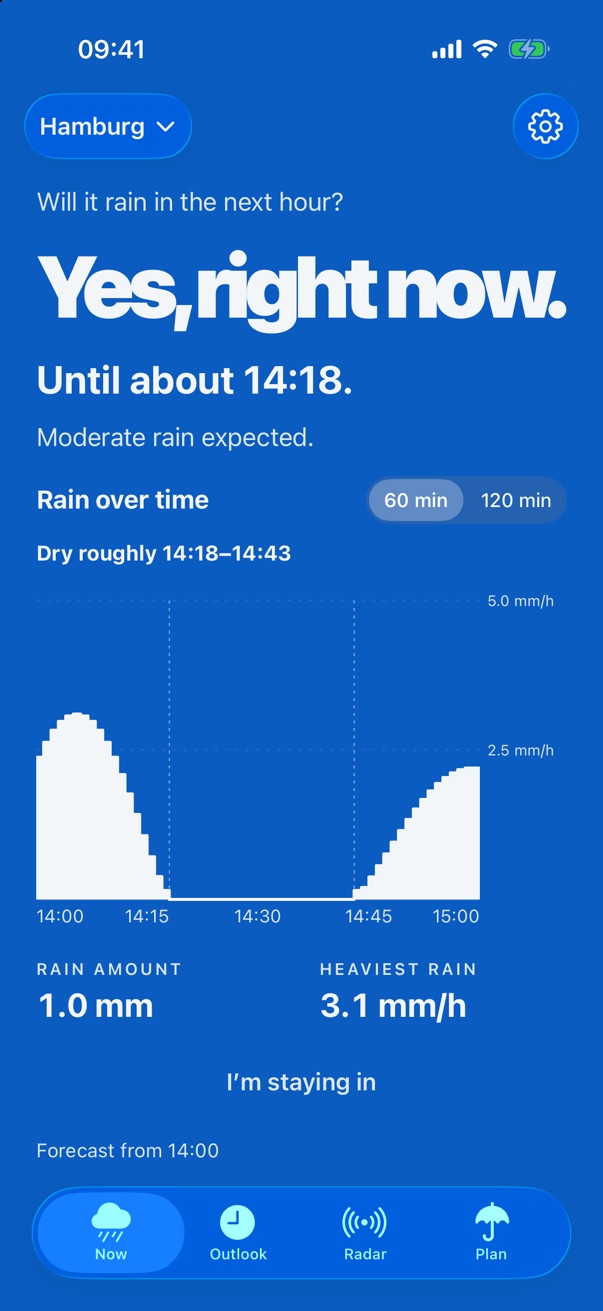
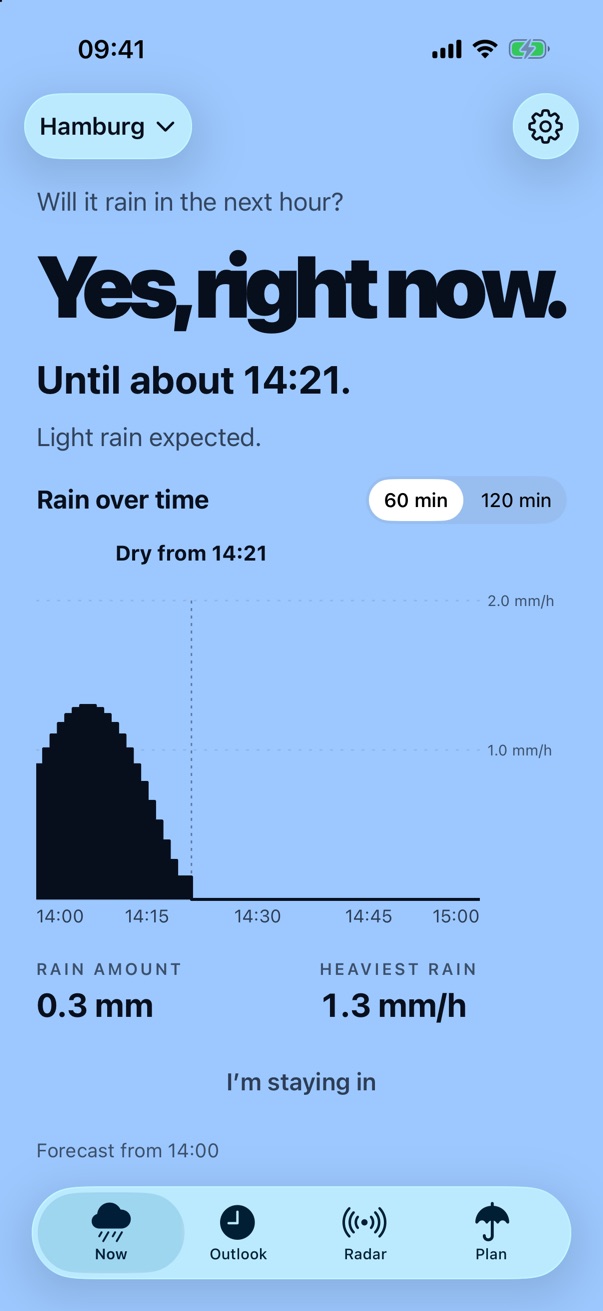
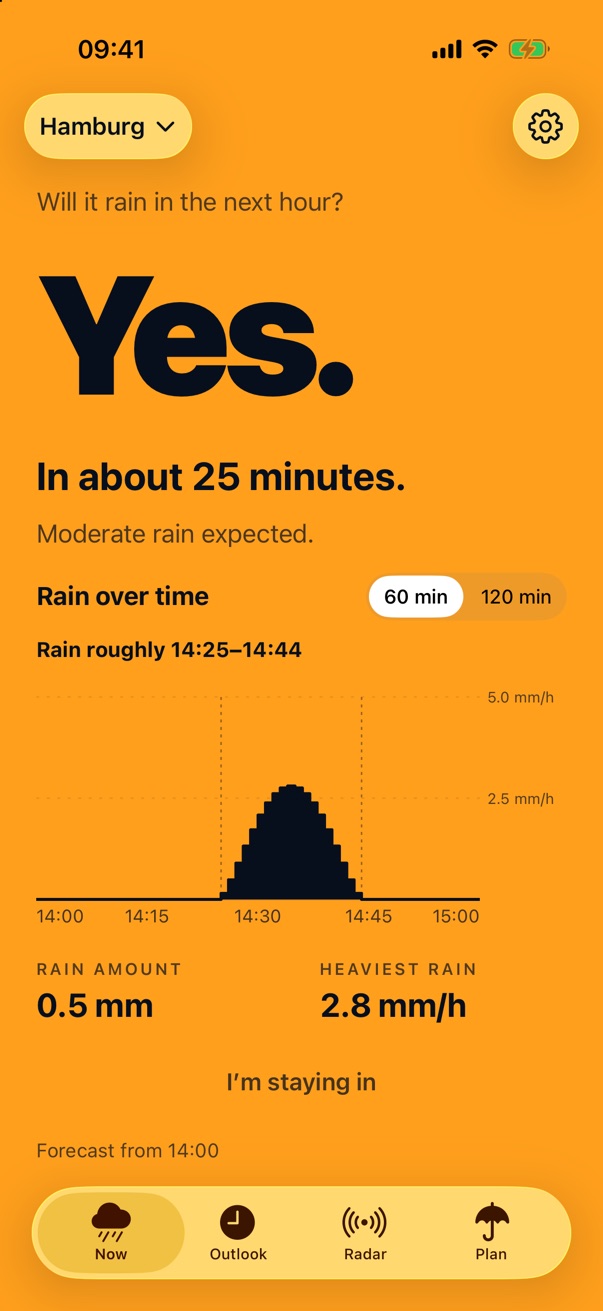
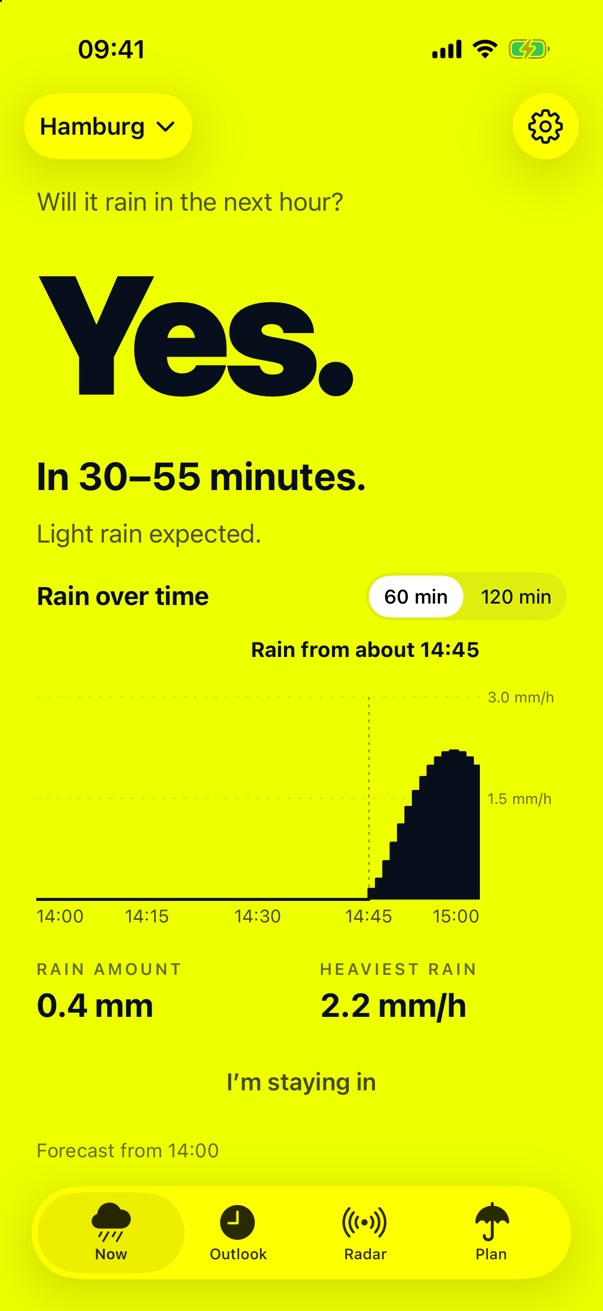
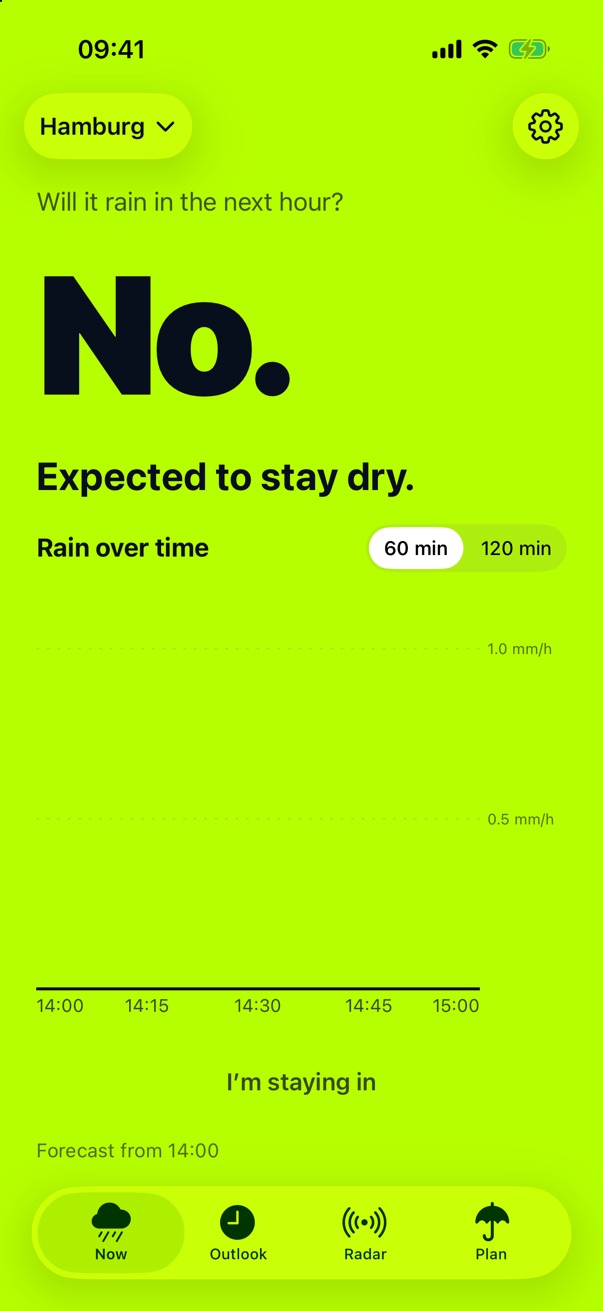
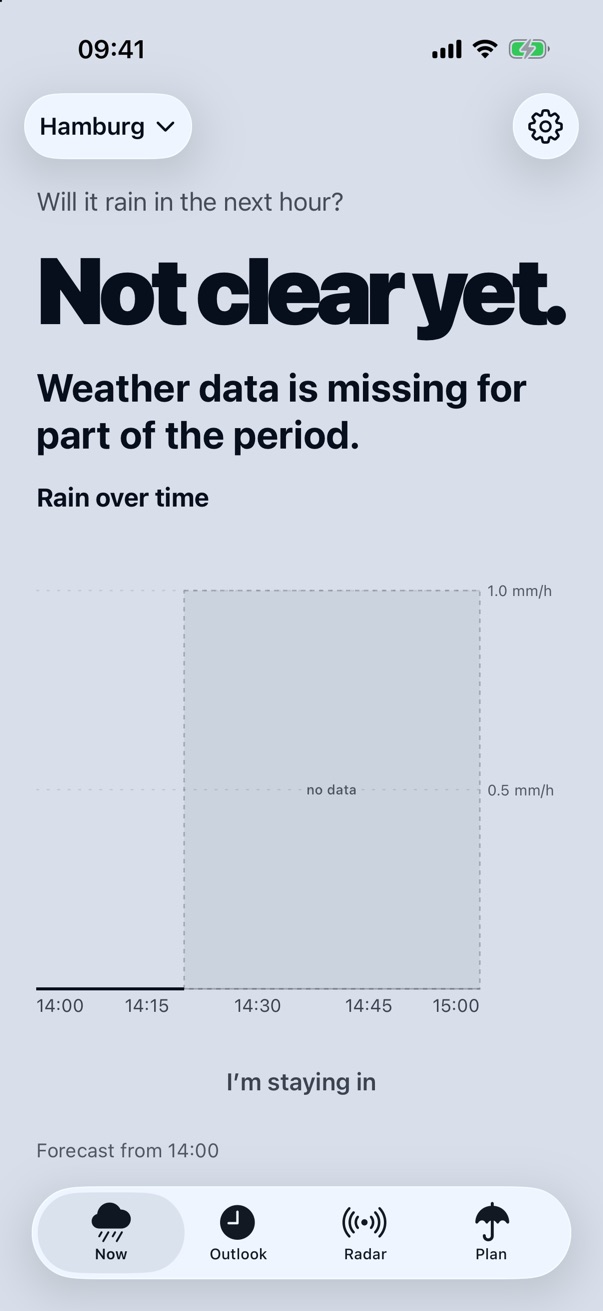
Rain radar instead of a percentage.
“60% chance of rain” doesn’t help much at the front door. It doesn’t tell you whether you’ll make it to the bakery dry in the next twenty minutes. Plitsch uses the rain radar of the German Weather Service (DWD). The radar measures where it is raining right now. The forecast works out where the rain is heading.
- 5 min
- A new radar image arrives every five minutes. Plitsch fetches it as soon as it is there.
- 1 km
- That’s how fine the grid is. Plitsch looks at your cell and the eight around it.
- 2 h
- That’s how far the radar forecast reaches, in five-minute steps.
Plitsch also tells you what it doesn’t know.
- Old data is marked as old.If the last forecast is too old, it says so. There is no “dry” made up out of thin air.
- Gaps stay gaps.If data is missing for a stretch, the chart shows nothing there. It doesn’t paint in a zero.
- Plitsch checks itself.In Germany, Plitsch checks its forecasts against what the radar measured afterwards. The forecast accuracy is in Settings.
- Different outside Germany.Where the radar of the German Weather Service doesn’t reach, the forecast comes from Foreca. There are no official warnings and no thunderstorm notes there.
- No account, no tracking.Plitsch uses your location only for the forecast and the place name. What goes to the DWD, to Foreca and to Apple for that is in the Privacy policy.
The “Plan” tab · with subscription
Will you stay dry?
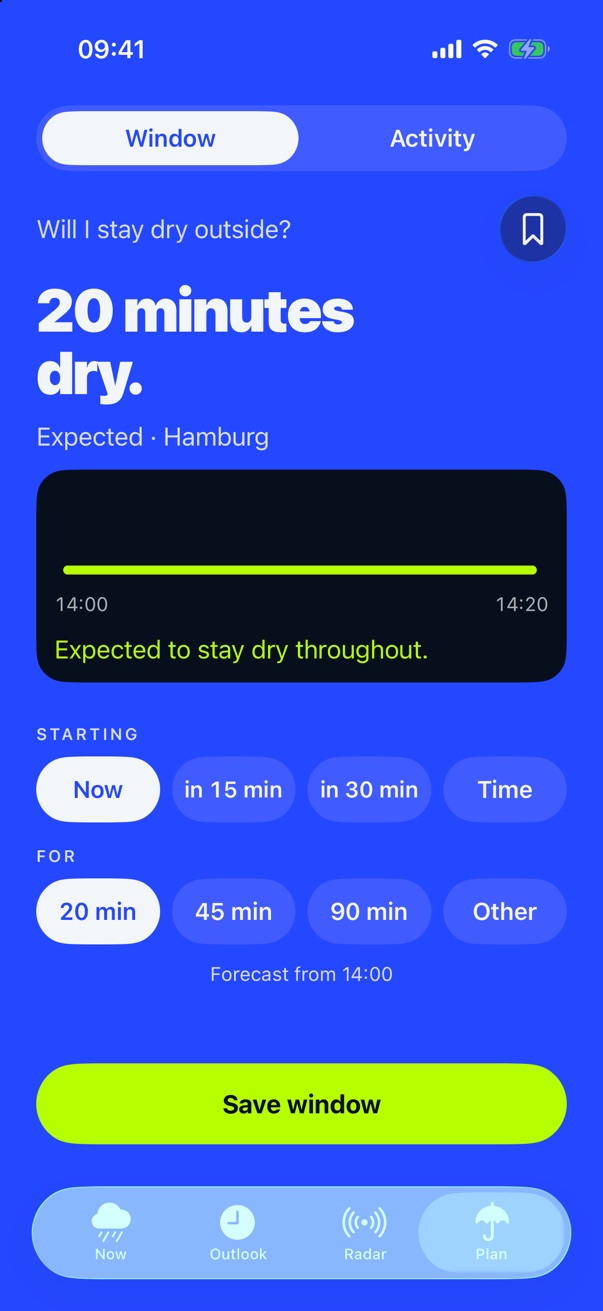
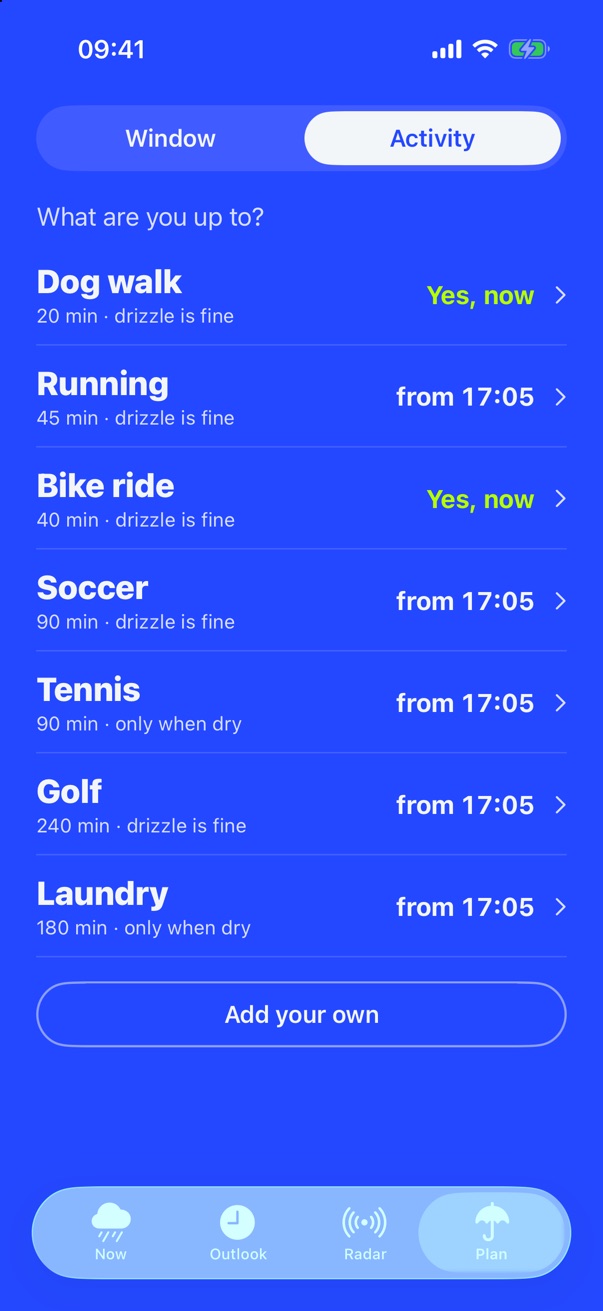
Planning has a place of its own. Tell Plitsch when you want to head out and for how long. Plitsch checks exactly that time. If rain falls into it, Plitsch suggests a dry window. Save it and it appears on “Now”, right below the rain chart.
- You pick start and length with a single tap: now, in 15 or 30 minutes, or at a set time, from five minutes to four hours.
- Activity: dog walk, running, bike ride, soccer, tennis, golf, laundry. For each one Plitsch says whether now is a good time, and if not, from when. You can add your own.
- Route: start, destination and cycling, walking or running. Plitsch tells you whether you arrive dry and where on the route rain is waiting. Wherever Plitsch has rain radar.
- Plans: save regular routes like your bike ride to work. “Now” shows at the top whether it works out.
The radar · with subscription
Where is the rain right now?
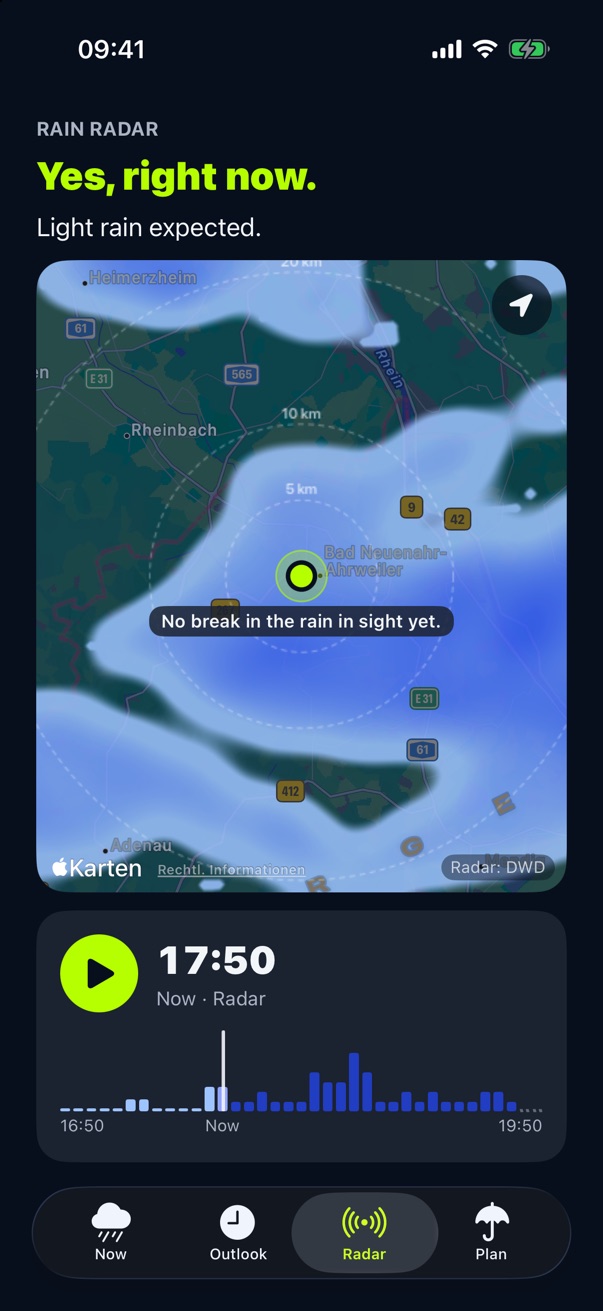
In the “Radar” tab you see how the rain moves around your place: one hour back and up to two ahead. Distance rings show how far away it is, and your place shows when it arrives.
- Play it, zoom in, and jump back to your place with one tap.
- In Germany the radar comes from the DWD, elsewhere from Foreca, with lightning on the map.
The outlook · with subscription
And after that?
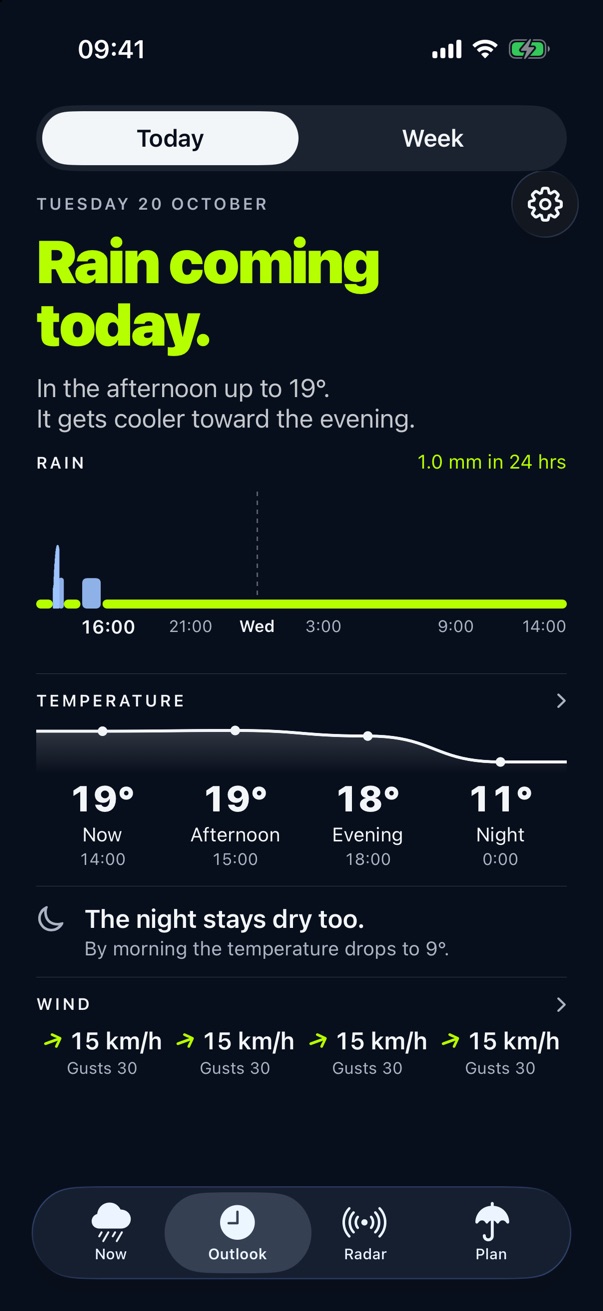
The outlook always reaches 24 hours ahead, even late in the evening: rain, temperature, night and wind. In Germany with official warnings from the German Weather Service (DWD) and a note when thunderstorms are possible.
- Rain and temperature, clearly separated.
- Afternoon, evening and night at a glance, plus wind with gusts.
- In Germany, official warnings from the German Weather Service (DWD) are built in.
- Under “Week”, the next seven days, outside Germany too.
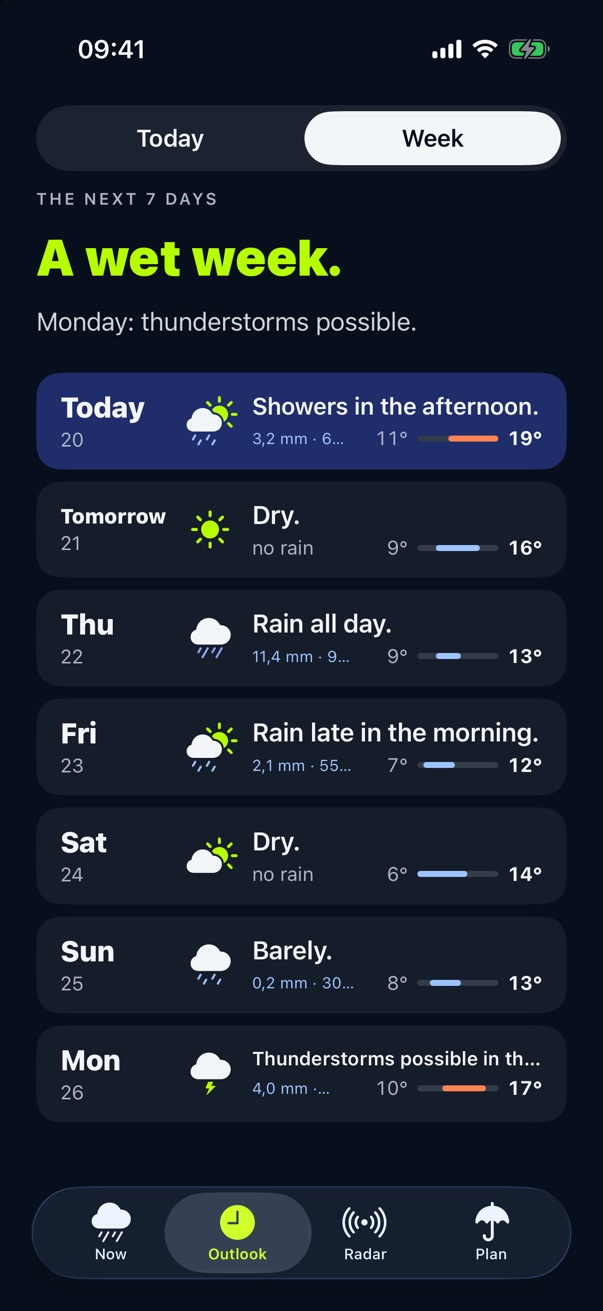
Widgets
The answer on your Home Screen.
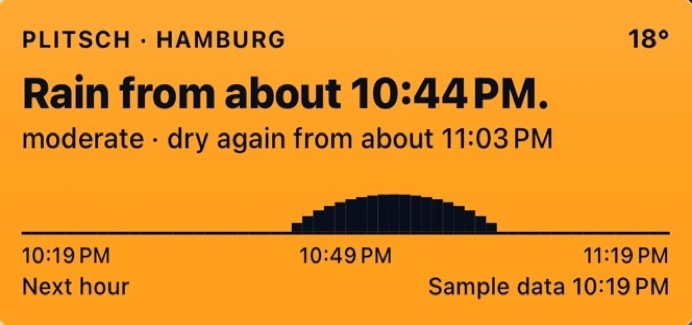
A glance at your phone is enough, no need to open the app. The small widget answers the question, the medium one adds the rain chart, 60 or 120 minutes as in the app. Both show when the data is from.
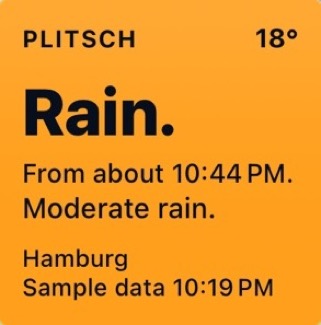
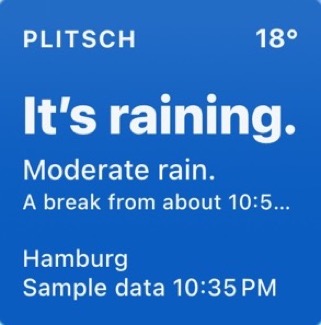
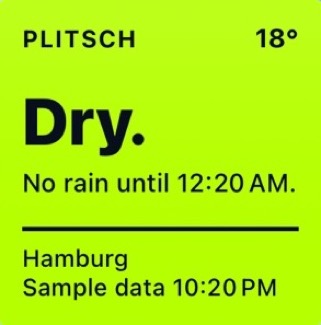
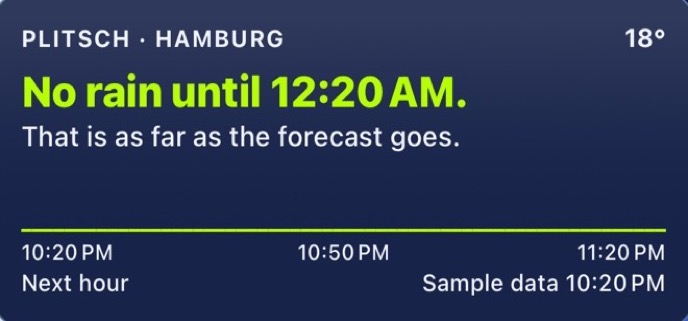
Real widgets from the app, with sample data. With a subscription there are two for the Lock Screen: a compact field with the next change in the weather and a line right above the clock.
And to ask Siri, just say: “Plitsch, is it raining?” With your iPhone unlocked, “Plitsch, is it raining at home?” works too. “Plitsch radar” opens the radar.

My Places · free
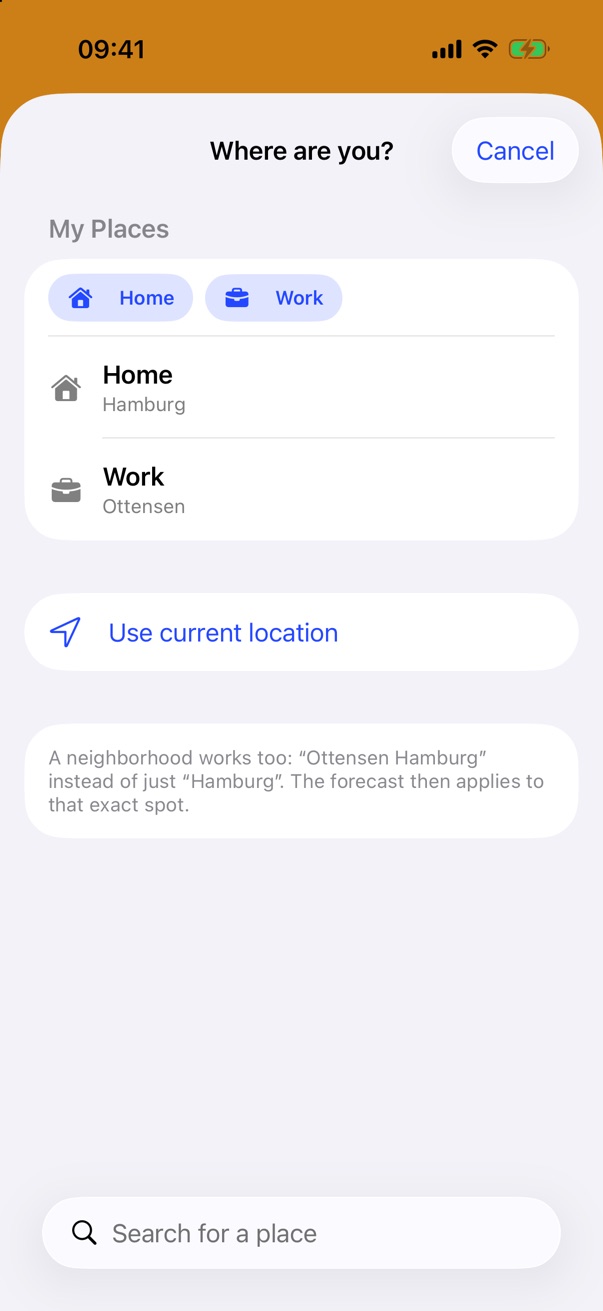
Home, Work, one tap.
Pin places, rename them to Home or Work, and switch with one tap.
iPhone Duo
Unfolded, both at once.
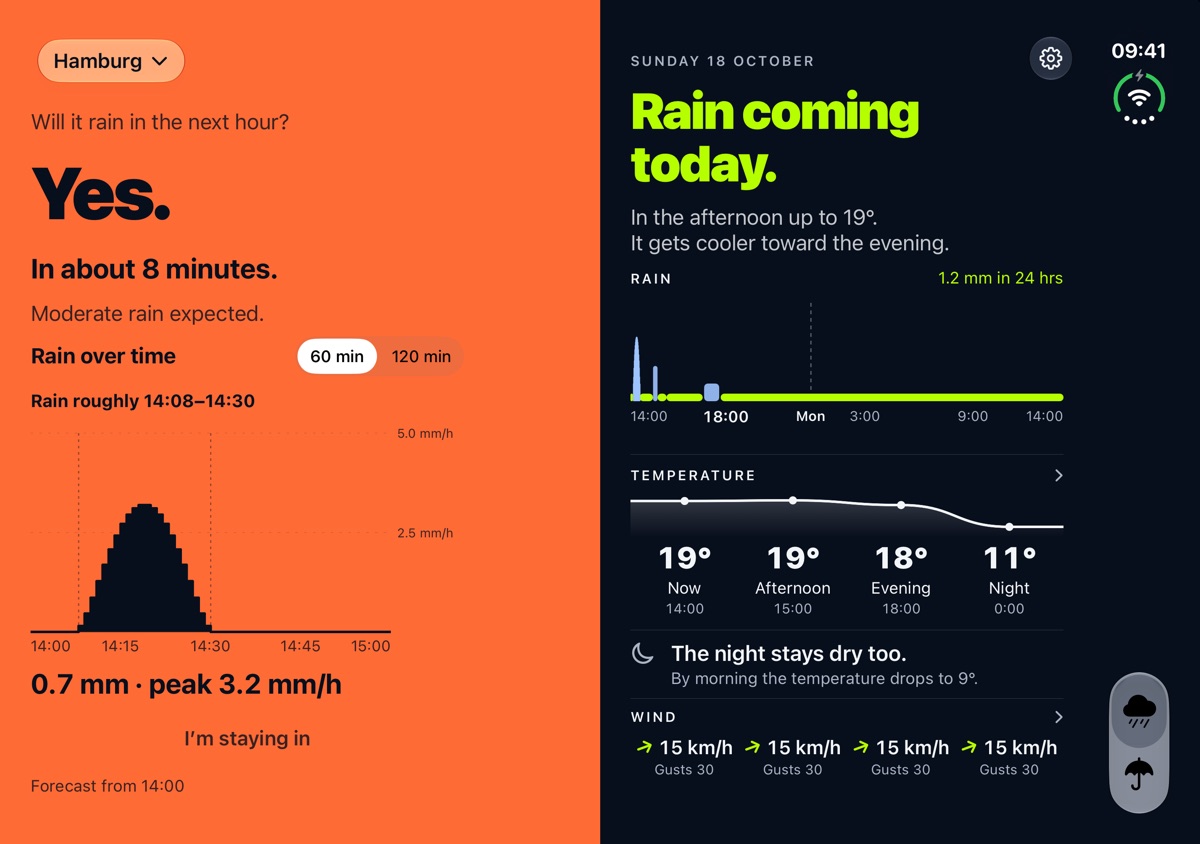
On iPhone Duo, Now and Outlook sit side by side. The next hour on the left, the next 24 hours on the right.
Free and subscription.
The answer for the next hour stays free. If you want more, get the “Plitsch” subscription, monthly or yearly.
Free
Now
- The answer for the next hour.
- Rain over time, minute by minute.
- The widgets on the Home Screen.
- My Places: Home, Work and more.
“Plitsch” subscription
Everything
- €1.99 a month, first 7 days free
- €19.99 a year, €12.99 in the first year
- The answer for two hours.
- The full outlook: 24 hours of rain, temperature, night and wind.
- The rain radar and the week in Outlook.
- Plan with time windows and activities.
- The widgets for the Lock Screen.
- Family Sharing is included.
Prices may vary by country; the price shown on the App Store applies. The subscription renews automatically unless you cancel it at least 24 hours before the end of the period.
Now on the App Store
Get Plitsch.
Plitsch is free to download. “Now” and the Home Screen widgets are free; the subscription adds the rest.

Plitsch speaks twelve languages and works in Europe and the US. The questions below say exactly where.
What does Plitsch cost?
Plitsch is free to download. “Now” and the Home Screen widgets are free. The subscription costs €1.99 a month with 7 days free, or €19.99 a year, €12.99 in the first year. Prices may vary by country; the price shown on the App Store applies.
How do I cancel the subscription?
In your iPhone’s Settings, tap your name, then “Subscriptions” and “Plitsch”. Cancel at least 24 hours before the end of the period, otherwise the subscription renews automatically.
Can my family share the subscription?
Yes. Family Sharing is included: everyone in your Family Sharing group can use the subscription.
Where does Plitsch work?
In Germany with radar from the German Weather Service (DWD). Elsewhere in Europe where rain radar is available, and in the US except Alaska and Hawaii, with data from Foreca. Where there is no rain radar, the app tells you.
Where does the weather data come from?
In Germany, Plitsch works from the radar of the German Weather Service (DWD), elsewhere from Foreca data. Official warnings and the thunderstorm note are for Germany only; outside Germany, the radar shows lightning.
Does Plitsch need my location?
Only if you want. You can also search for a place. Plitsch uses your location only for the forecast and the place name.
Is Plitsch available for Android?
No. Plitsch is for iPhone only.
Which languages is Plitsch available in?
German, English, French, Dutch, Italian, Spanish, Polish, Swedish, Portuguese, Czech, Danish and Norwegian. Plitsch uses your iPhone’s language.
What happens to my address?
We use it only for the newsletter. EmailOctopus sends the emails. Your address does not go to Apple.